Building an End-to-End CI/CD Pipeline on AWS with GitHub, CodeBuild, and CodeDeploy
Complete Tech Blog & Setup Guide
Author: Phaneesh | Date: April 17, 2026 | Repository: AWS_End_to_End_CI
Introduction
In the modern software development lifecycle, automation is key. A robust Continuous Integration and Continuous Deployment (CI/CD) pipeline ensures that code changes are automatically tested, built, and deployed to production with minimal manual intervention. This article walks through the process of setting up a complete end-to-end CI/CD pipeline on AWS using GitHub as the source control, AWS CodeBuild for building Docker images, and AWS CodeDeploy for deploying those images to an Amazon EC2 instance.
The Problem: Moving Beyond Local Development
Testing code locally is essential, but it’s only the first step. Moving that code to a cloud environment involves several manual steps: building images, pushing to a registry, logging into servers, pulling images, and restarting services. Automating this entire flow reduces errors and speeds up the delivery process.
Architecture Overview
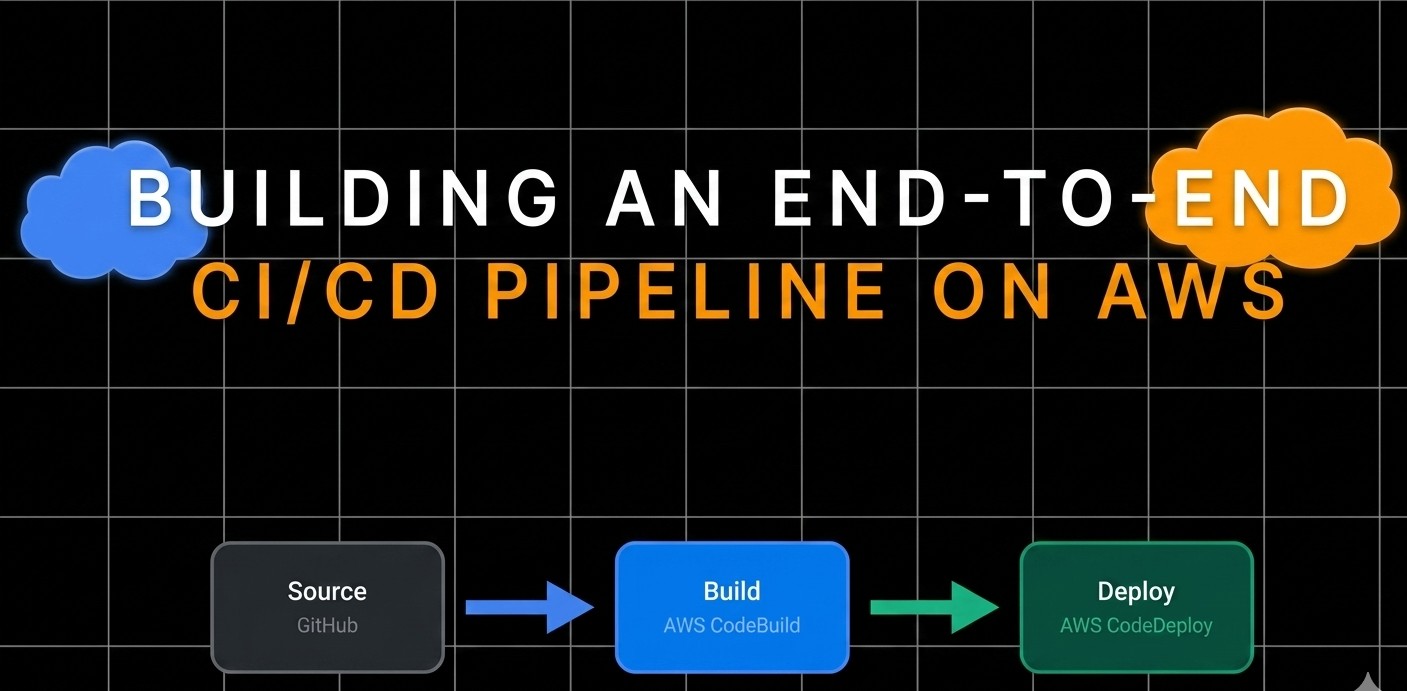
The pipeline follows these steps:
- Source: A developer pushes code to a GitHub repository.
- Build: AWS CodeBuild is triggered. It pulls the code, builds a Docker image, and pushes it to a container registry (like Docker Hub or ECR).
- Deploy: AWS CodeDeploy takes over. It pulls the latest image onto an EC2 instance and runs the container.
- Orchestration: AWS CodePipeline ties all these services together into a single, seamless workflow.
Deep Dive into the Components
1. The Application
The core of our project is a simple Flask application (app.py):
1
2
3
4
5
6
7
8
9
10
from flask import Flask

app = Flask(__name__)

@app.route('/')
def hello():
    return 'Hello, world!'

if __name__ == '__main__':
    app.run()
2. Containerization with Docker
We use a Dockerfile to package the application and its dependencies:
1
2
3
4
5
FROM python:3-alpine3.18
WORKDIR /app
COPY . /app
RUN pip install -r requirements.txt
CMD python ./app.py
3. Automated Build with BuildSpec
AWS CodeBuild uses a buildspec.yaml file to define the build phases. Notice how we use AWS Systems Manager Parameter Store to securely handle Docker registry credentials.
1
2
3
4
5
6
7
8
9
10
11
version: 0.2
env:
  parameter-store:
             DOCKER_REGISTRY_USERNAME: "/weight-converter/docker-credentials/username"
             DOCKER_REGISTRY_PASSWORD: "/weight-converter/docker-credentials/password"
             DOCKER_REGISTRY_URL: "/weight-converter/docker-registry/url"
phases:
    build:
        commands:
            - docker build -t "$DOCKER_REGISTRY_URL/$DOCKER_REGISTRY_USERNAME/aws_e2e_ci:latest" .
            - docker push "$DOCKER_REGISTRY_URL/$DOCKER_REGISTRY_USERNAME/aws_e2e_ci:latest"
4. Deployment with AppSpec
AWS CodeDeploy relies on appspec.yml and shell scripts to manage the deployment lifecycle on the EC2 instance.
1
2
3
4
5
6
7
8
9
10
11
version: 0.0
os: linux
hooks:
  ApplicationStart:
    - location: start_server.sh
      timeout: 300
      runas: root
  ApplicationStop:
    - location: stop_container.sh
      timeout: 300
      runas: root
The start_server.sh script handles the heavy lifting on the server:
- Installs Docker if missing.
- Pulls the latest image.
- Stops any existing container.
- Runs the new container on port 80.
1
2
3
4
5
6
7
8
9
10
11
12
13
14
15
16
17
18
19
20
21
22
23
#!/bin/bash
set -e

DOCKER_IMAGE="$DOCKER_REGISTRY_URL/$DOCKER_REGISTRY_USERNAME/aws_e2e_ci:latest"
CONTAINER_NAME="aws_e2e_ci_container"

# Ensure Docker is installed and running
sudo apt install docker.io -y

# Stop and remove any existing container with the same name
if docker ps -a --format '' | grep -q "$CONTAINER_NAME"; then
  echo "Stopping and removing existing container: $CONTAINER_NAME"
  docker stop "$CONTAINER_NAME"
  docker rm "$CONTAINER_NAME"
fi

# Pull the latest Docker image
echo "Pulling Docker image: $DOCKER_IMAGE"
sudo docker pull "$DOCKER_IMAGE"

# Run the new Docker container
echo "Running new Docker container: $CONTAINER_NAME"
sudo docker run -d -p 80:5000 --name "$CONTAINER_NAME" "$DOCKER_IMAGE"
Key Takeaways
- Automation is Security: Using AWS Parameter Store prevents hardcoding credentials in your source code.
- Consistency is King: Docker ensures that the environment where you build is identical to the environment where you deploy.
- Lifecycle Hooks: CodeDeploy hooks like
ApplicationStopandApplicationStartallow for “clean” deployments without leaving zombie processes.
Conclusion
By integrating GitHub, CodeBuild, and CodeDeploy via AWS CodePipeline, we’ve created a hands-off deployment system. Every git push now results in a live update to our application, allowing us to focus on writing code rather than managing infrastructure.